
What format do I export as?
These are the three file options you can pick from; each providing various results so decide on which to choose based on the table below.
.STL
- Positives
- Simple and common
- Quick to Print (Great for Prototyping)
- Is a option that is supported by many printers
- Negatives
- Limited model information
- Does not keep units, color or model geometry
- Limited model information
.OBJ
- Positives
- Ideal for High resolution models/ Art pieces
- Negatives
- Just complex overall
- Larger File Sizes
.STEP
- Positives
- Stores model geometry
- Able to edit the models afterwards in Rhino/Sketchup much easier compared to .STL/.OBJ
- Great option in case you want to share your model and changes have to be made
- Stores model geometry
- Negatives
- Larger file size
PLEASE SCALE YOUR OWN MODEL BEFORE EXPORTING; ESPECIALLY IF MADE IN A PARTICULAR SCALE
If you have multiple pieces to export, please do it in groups and save with the appropriate numbers so we can print all the pieces.
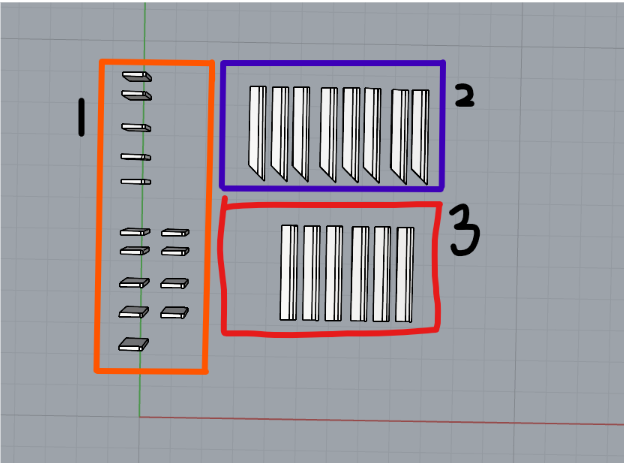
For example: Initials_ModelName1,Initials_ModelName2, Initials_ModelName3.
This will allow us to arrange your models in a way we want as the arrangement in slicers is important for model strength, avoiding failures and getting a good first layer.
For a reminder about our 3D Printer Bed Sizes
Exporting 3D Models ( Can use the same method for Sketchup)